
Insurance
Detect AI-generated and edited claim photos
Flag edited and AI-generated damage photos, invoices and receipts before payout.

What we check
The photos and documents in the claim. Checked before payout.
01
Damage photos
AI-generated or edited damage.
02
Repair invoices
Edited amounts and line items.
03
Receipts
Changed dates and amounts, on paper or in screenshots.
04
Claim documents
Edited estimates, reports and letters.
05
Video
Deepfakes in recorded claims and video calls.
06
Metadata
Camera data and file history.
Claim cases
Claim fraud, flagged on the file.
Illustrative cases on synthetic files.
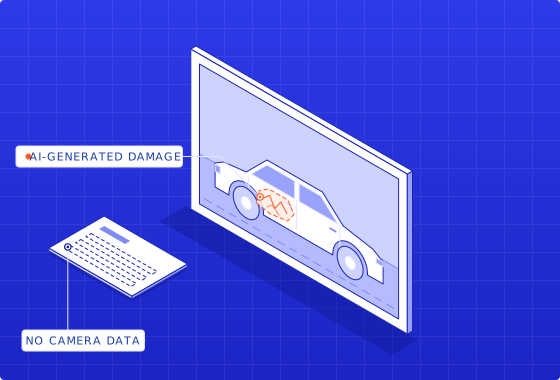
Auto · Photo
A dent that wasn’t there
Damage added with an image generator. No camera data.

Property · Photo
Storm damage, edited in
Hail damage painted onto an intact roof.
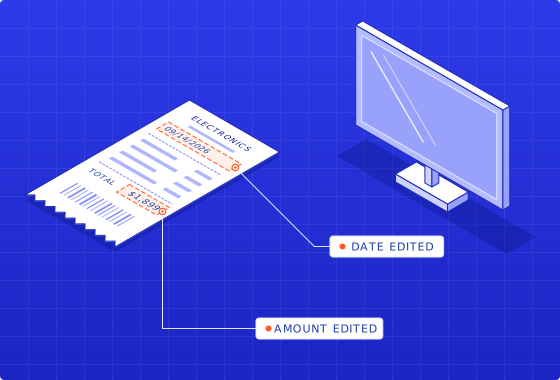
Contents · Receipt
A receipt with a new date
Purchase date and total changed.
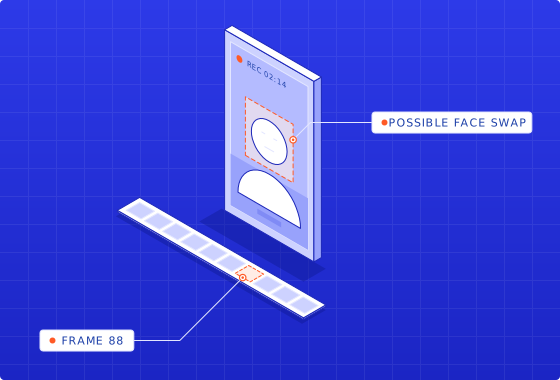
Recorded statement · Video
A face that isn’t theirs
A possible face swap in a recorded claim call.
Invoices
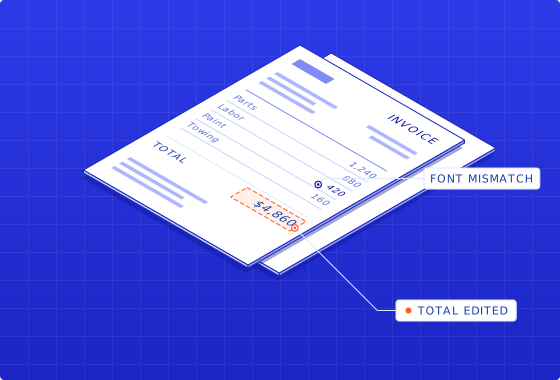
Fake repair invoice detection
Invoices and receipts are checked for edits, font mismatches and totals that don’t add up.
Evidence your adjusters can act on.
Your adjuster or SIU decides.
01
Add the claim
Photos, invoices and documents.
02
Check every file
Edits, AI generation and metadata.
03
Review the evidence
Each finding, where it is, how strong.
FAQ
What adjusters ask us.
Can insurers detect AI-generated claim photos?
Yes. Trustable checks each claim photo for traces that image generators leave, local edits such as added or enlarged damage, and gaps in the camera data and file history. Each finding is marked on the photo with its strength, so an adjuster or special investigations unit (SIU) can see why a photo was flagged before the claim is paid.
What is a shallowfake insurance claim?
A shallowfake is a real photo or document changed with an ordinary editing app rather than generated from scratch by AI. Common examples are damage painted onto a car photo, a date changed on a receipt, or an amount raised on a repair invoice. Because most of the file is genuine, shallowfakes can pass a quick look; pixel-level and document checks are designed to flag them.
Can it detect fake repair invoices?
Yes. Trustable checks repair invoices and receipts for edited text, font and layout mismatches, rebuilt templates and line items or totals that don’t add up. Each finding is marked so the adjuster can follow up with the repair shop. Comparing an invoice with the rest of the claim, such as its dates and the damage in the photos, is in development.
How do claim files reach Trustable?
Through the API or the Trustable web app. Send damage photos, invoices or receipts and get back the findings, where they are and how strong each one is, for your adjuster or SIU. Routing results into your claims system is in development.
Does missing metadata mean a photo is fake?
No. Messaging apps, screenshots and resizing often strip camera data from genuine photos, so missing metadata on its own proves nothing. Trustable treats it as one signal among several, weighs it with pixel-level and AI-generation checks, and shows how strong the signal is, so the adjuster isn’t pushed to deny a valid claim.
Can Trustable detect deepfake video in claims?
Yes. Recorded claim videos and video-call recordings are checked for face swaps and other signs of generation or editing, and each finding is marked on the frames where it appears with its strength. As with photos, a finding is a reason for the adjuster or SIU to ask for more evidence, not a decision on its own.
Do Content Credentials prove a photo is genuine?
No. Content Credentials (the C2PA standard) show that a file’s recorded history is intact, such as which device or app created it. They don’t prove that the loss in the photo happened, and many claim photos carry no credentials at all. Trustable checks the photo itself either way; reading credentials is in development.
Insurance
See it on a claim.
We demo on a sample file. Yours only after we agree on data handling.
Book a demo