
Onboarding & KYC
Fake ID and deepfake detection for onboarding
Flag edited IDs, AI-generated selfies and face-swapped video before an account opens.
What we check
The files behind a new account. Checked before you approve.
01
Fake ID detection
Edited photos, details and rebuilt templates.
02
Deepfake selfie detection
AI-generated or edited faces.
03
Video verification
Face swaps in recorded and live video.
04
Proof of address
Edited utility bills and statements.
05
Metadata
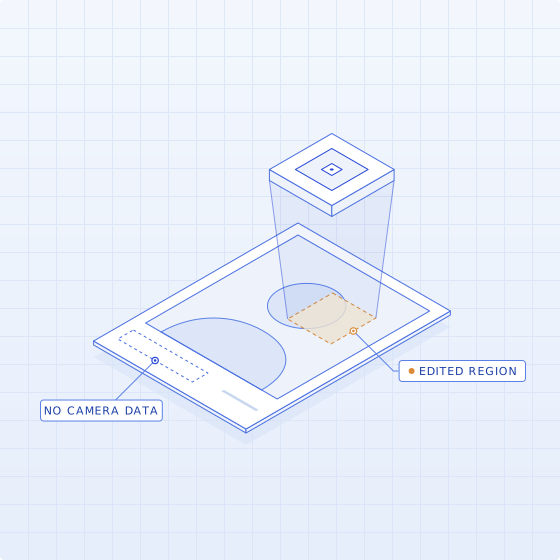
Camera data and file history.
06
Provenance
Where a file came from. Content Credentials reading.
In developmentAlongside your IDV
Works with the verification you already run.
Trustable checks the files your onboarding flow already collects. It is not a liveness or biometric-matching product; it adds a forgery check to the one you have.
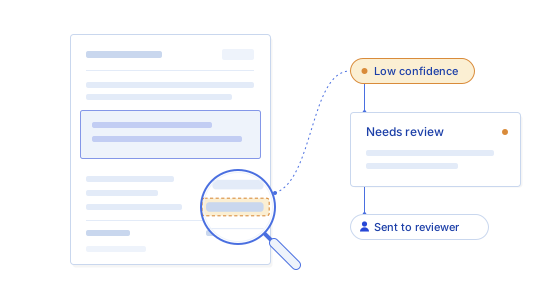
See why an applicant was flagged.
Your compliance or fraud team decides.
01
Add the files
ID images, selfies, video and proof of address.
02
Check each one
Edits, AI generation, face swaps and metadata.
03
Review the evidence
Each finding, where it is, how strong.
FAQ
What onboarding teams ask us.
Can Trustable detect a fake ID?
Yes. ID images are checked for edited photos and details, rebuilt templates, signs of AI generation and camera data that conflicts with how the image was supposedly captured. Each finding is marked on the image with its strength, so a reviewer can see what looked wrong and decide whether to ask for another document or a live check.
Can it detect deepfake selfies and video?
Yes. Selfies are checked for AI generation and editing, and recorded or live video for face swaps and other generation traces. Findings are marked on the frames where they appear. A flag is a reason to step up verification, not proof that the person is not who they claim to be.
Is Trustable a liveness or identity verification provider?
No. Trustable checks whether the files in an onboarding flow were edited or generated. It does not perform liveness detection, biometric matching or database lookups, and it works alongside the identity verification provider you already use rather than replacing it.
How do files reach Trustable?
Through the API or the Trustable web app. Send an ID image, selfie, video or proof-of-address document and get back the findings, where they are and how strong each one is. Routing results into your onboarding workflow is in development.
Does a flag mean the applicant is fraudulent?
No. A flag means a file needs a closer look. Genuine images are cropped, compressed and re-saved for innocent reasons, and that can look like editing. Trustable shows what it found, where and how strong the signal is; your team decides what to ask for next.
Onboarding & KYC
See it on an ID.
We demo on a sample file. Yours only after we agree on data handling.
Book a demo