
Payments & disputes
Fake receipt and screenshot detection for payments and disputes
Flag edited receipts, invoices, transfer screenshots and delivery photos before you refund, pay out or lose a chargeback.
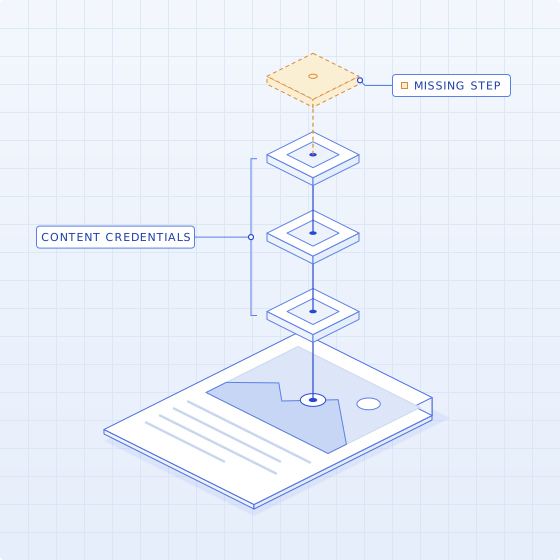
What we check
The evidence behind a dispute. Checked before you pay.
01
Receipts and invoices
Changed dates, amounts and line items.
02
Screenshots
Edited transfer confirmations, balances and chats.
03
Delivery and damage photos
AI-generated or edited images.
04
Bank statements
Edited balances and transactions.
05
IDs
Edited photos and details in account recovery.
06
Metadata
Creator, dates and edits in the file.
High volume
Small amounts, many files.
Disputes arrive by the thousand with a screenshot attached. Each file is checked the same way, so agents spend their time on the ones with a finding.
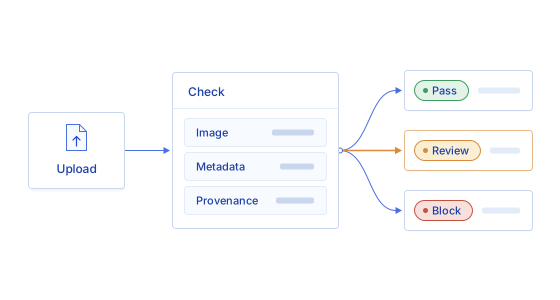
See why a file was flagged.
Your disputes or fraud team decides.
01
Add the file
Receipts, screenshots, photos, statements and IDs.
02
Check each one
Edits, AI generation and metadata.
03
Review the evidence
Each finding, where it is, how strong.
FAQ
What disputes teams ask us.
Can Trustable detect an edited screenshot?
Yes. Screenshots of transfers, balances and conversations are checked for edited regions, text that doesn’t match the surrounding rendering, and generation traces, with each finding marked where it sits. Screenshots carry little metadata, so the check rests mainly on the pixels and the text itself.
Can it detect fake receipts and invoices?
Yes. Receipts and invoices are checked for changed dates, amounts and line items, font and spacing that don’t match the rest of the document, rebuilt templates, and metadata that conflicts with the claimed source, such as a receipt last saved by an image editor. Each finding is marked on the page with its strength.
What about delivery and damage photos?
Photos submitted as proof of delivery, non-delivery or damage are checked for edits, AI generation and missing or conflicting camera data. A photo that was already used in another dispute is a separate question; comparing files across cases is in development.
How do files reach Trustable?
Through the API or the Trustable web app. Send the receipt, screenshot, photo or statement attached to a dispute and get back the findings, where they are and how strong each one is. Routing results into your case tool is in development.
Does a flag mean the customer is lying?
No. A flag means a file needs a closer look. Screenshots are cropped and annotated for innocent reasons, and that can look like editing. Trustable shows what it found and how strong the signal is; your agent decides whether to ask for more evidence or resolve the case.
Payments & disputes
See it on a dispute file.
We demo on a sample file. Yours only after we agree on data handling.
Book a demo